The Slide Rule
A real slide rule on your desktop: use it, learn it, and watch it solve calculations step by step.
What it is
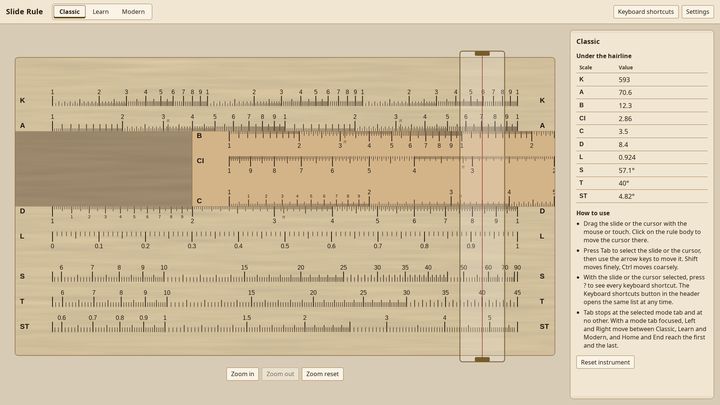
The Slide Rule puts a working slide rule on your screen and teaches you to use it. Drag the slide and the cursor as you would on the real thing, read the scales under the hairline, and learn why a strip of wood could multiply, divide, square, take roots and read sines and logarithms long before electronic calculators existed.
Three ways to use it
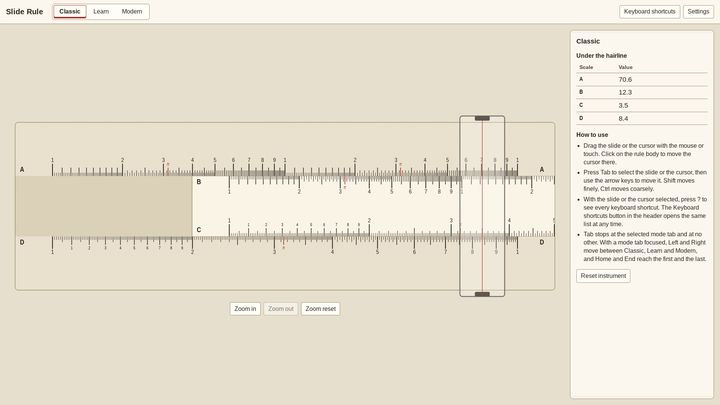
Classic. The instrument, exactly as it was: a body, a slide and a glass cursor, with a live readout of every scale under the hairline. Zoom in to read the finest graduations.
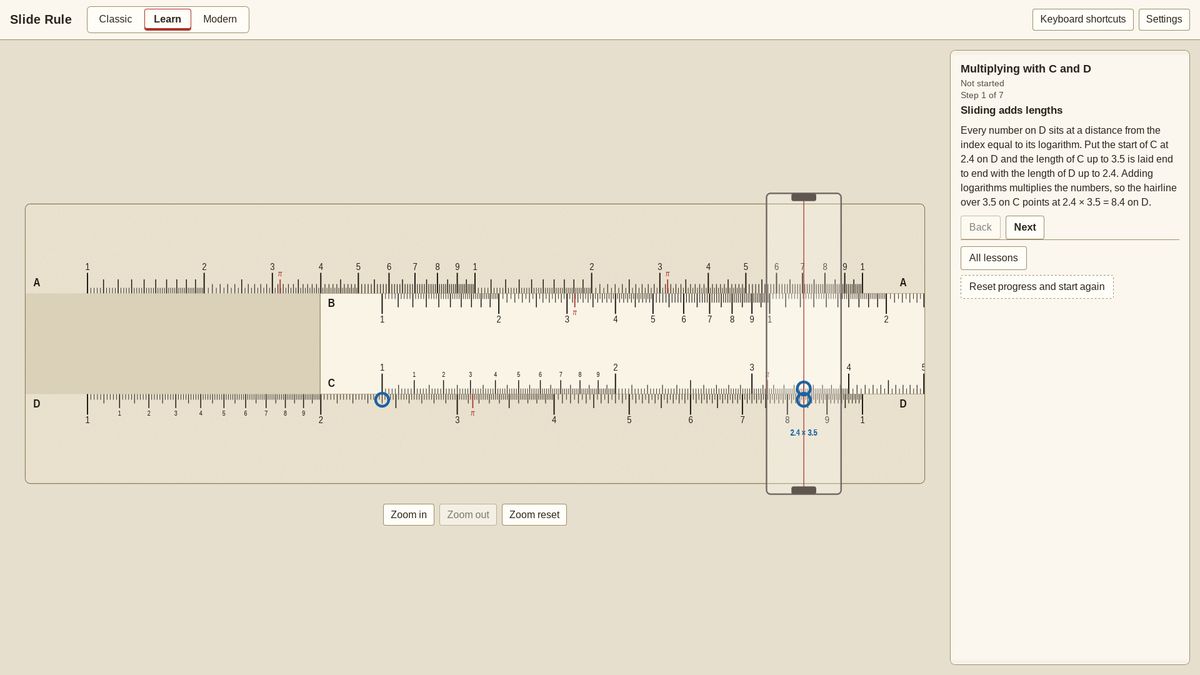
Learn. Thirteen lessons take you from reading the scales to chained calculations, with the target shown on the rule, every move checked, and quizzes that ask you to read the answer yourself. Progress is kept on your machine. Write lessons of your own as simple files.
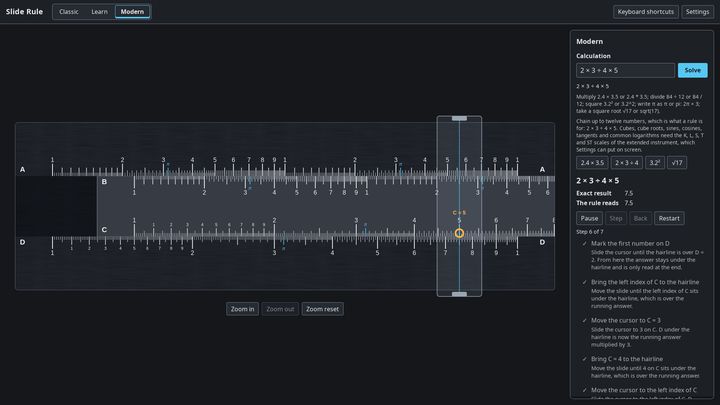
Modern. Type a calculation, such as 2.4 × 3.5, √17 or 100 × 4 × 1.5², and watch the rule work it out, movement by movement, with the reasoning beside each step and the exact answer next to what the rule can be read to. Step through at your own pace, or replay any calculation from your history.
Two instruments
Start with the classic four scales (A, B, C, D), or switch to the extended rule with ten: reciprocals on CI, cubes on K, logarithms on L, and sines and tangents on S, T and ST.
Three finishes
Heritage ivory with red accents, a clean Modern face in graphite, or the Workshop’s maple and walnut, all drawn as vector graphics that stay crisp at any size.
Made for everyone
- Every control works from the keyboard.
- The slide and the cursor are real sliders to a screen reader, and readings are spoken.
- Feedback never relies on color alone.
- Reduced motion is honored.
Yours, offline
No account, no sign-in, no network. Your settings, lesson progress and history stay on your machine, and you can export them to a file and carry them to another.
Get it
Available on the Microsoft Store for Windows 10 and 11.
There is also an edition that carries pride flags, The Pride Slide Rule.

